

Attach images to GitHub from a headless browser
GitHub's issue editor has no file input for automation to target. Here's how to attach screenshots (and videos) anyway — a synthetic file-drop via eval for issues, a one-line upload for PRs, plus the headed→headless profile handoff that makes it all work signed-in.
This post started with a tweet. Peter Steinberger described watching codex drive a real Chrome window with computer use — open the browser, go to the PR, tap the comment box, and wrangle with the macOS file picker — “all TO UPLOAD AN IMAGE. GitHub has no API doesn’t stop anyone.” He runs his agents in VMs just so they don’t steal app focus while doing it.
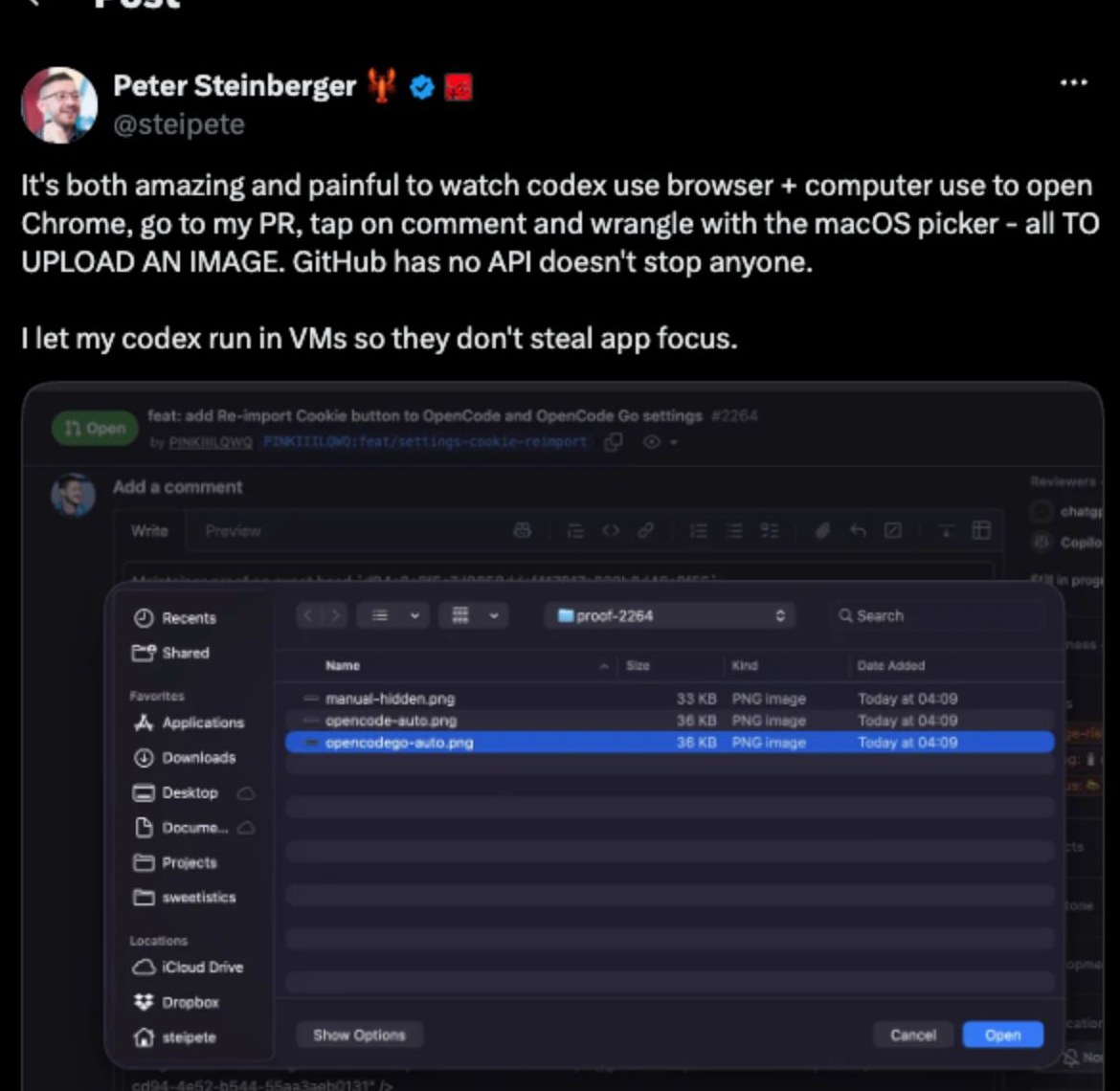
He’s right that no API stops anyone. But there’s a better way than pixel-hunting a native file picker from a screen recording: don’t fight the picker at all. The whole flow — create the issue, attach the image — can run headless, no visible browser, no stolen focus, no VM. The catch is that “attach the image” takes a trick, because GitHub’s issue editor has no file input for automation to target.
This post walks through the whole flow with PinchTab: verifying you’re signed in as the right account, creating the issue, and the synthetic file-drop trick that gets the image in — all of it working headless. The result is a real issue you can look at: pinchtab/pinchtab.com#6 — created, screenshotted, and attached entirely by an agent in a headless browser.
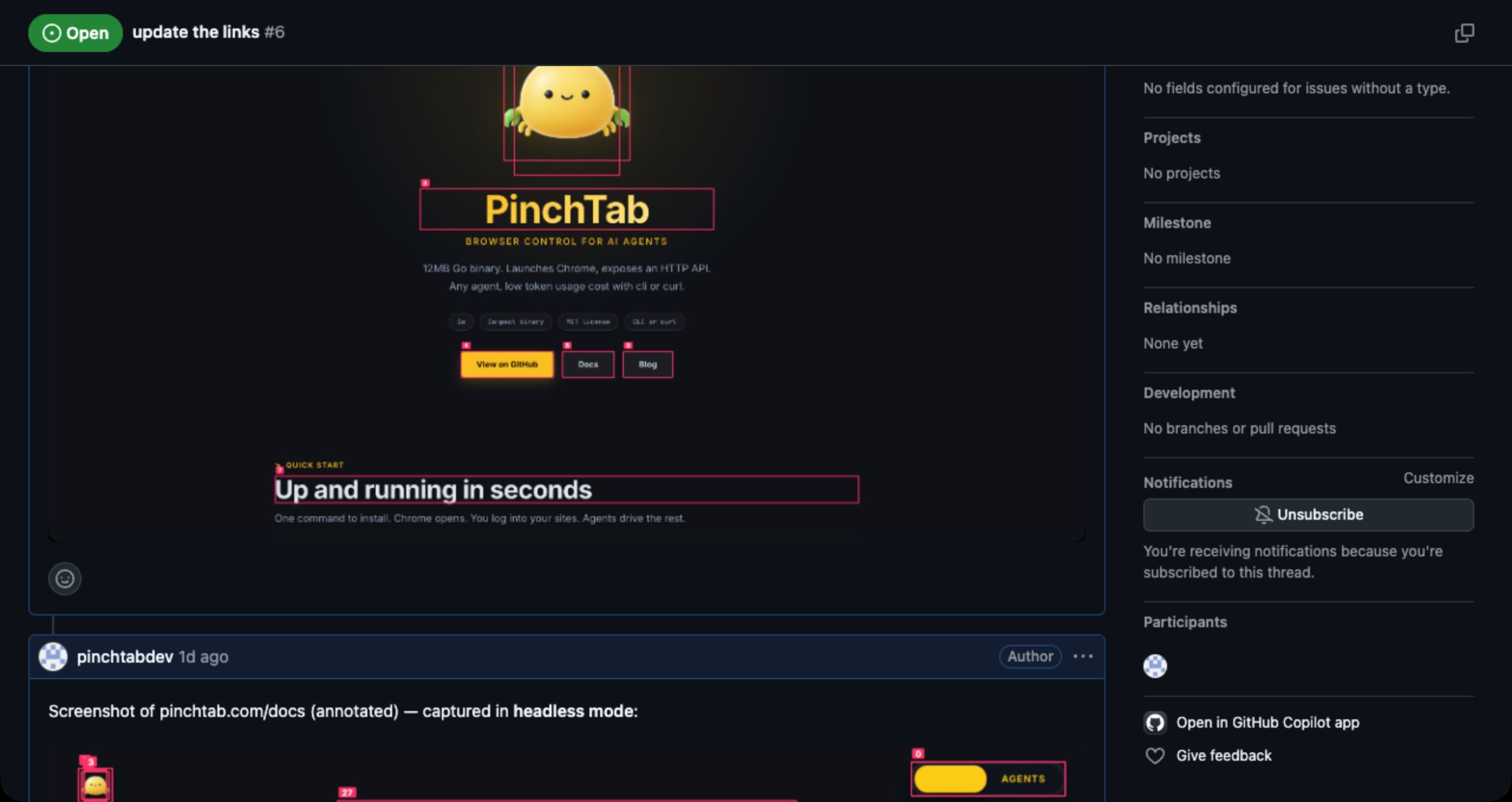
The problem: there is no <input type="file">
GitHub’s React editor shows a “Paste, drop, or click to add files” control under every comment box. Click it and a native OS file picker opens — which browser automation cannot drive. And the obvious escape hatch doesn’t exist either:
pinchtab count 'input[type="file"]'
# 0  — even after clicking the "add files" control
pinchtab upload works by calling CDP’s DOM.setFileInputFiles against an existing input node. No node, nothing to target:
pinchtab upload /tmp/shot.png -s 'input[type="file"]'
# ERROR: 404 element not found
So the picker route is closed. But GitHub’s editor handles one more way of adding files: drag and drop. And drop events, unlike native file pickers, are just DOM events — which means we can synthesize them.
The trick: build a File in-page and drop it
The idea: read the image bytes, base64 them into the page via pinchtab eval, construct a real File object inside the browser, put it in a DataTransfer, and dispatch dragenter → dragover → drop on the comment textarea. GitHub’s own drop handler takes it from there — uploads the asset and inserts the ![...]() markup, exactly as if a human had dropped the file.
IMG=/tmp/shot.png
B64=$(base64 < "$IMG" | tr -d '\n')

pinchtab eval "(async () => {
  const arr = Uint8Array.from(atob('$B64'), c => c.charCodeAt(0));
  const dt = new DataTransfer();
  dt.items.add(new File([arr], 'shot.png', { type: 'image/png' }));
  const ta = document.querySelector('textarea[placeholder=\"Use Markdown to format your comment\"]');
  for (const t of ['dragenter','dragover','drop'])
    ta.dispatchEvent(new DragEvent(t, { bubbles:true, cancelable:true, dataTransfer:dt }));
  return 'dropped';
})()" --await-promise
This needs security.allowEvaluate: true in your PinchTab config — eval is disabled by default.
Waiting for the upload
The drop returns immediately, but GitHub still has to upload the asset. When it finishes, the image markup lands in the textarea’s live .value — not its innerText, so pinchtab wait --text won’t see it. Poll with eval:
TA='textarea[placeholder=\"Use Markdown to format your comment\"]'
for i in $(seq 1 15); do
  pinchtab eval "document.querySelector('$TA').value" | grep -q "user-attachments" && break
  sleep 2
done
One detail that will bite your verification logic: in the draft, the image src is github.com/user-attachments/.... Once posted, the comment renders it from private-user-images.githubusercontent.com. Accept both.
The full flow
With the hard part solved, the rest is ordinary PinchTab. Create a session first so you get a dedicated tab:
export PINCHTAB_SESSION=$(pinchtab session create --agent-id gh)
REPO="pinchtab/pinchtab.com"; TITLE="update the links"

# 1. Create the issue
pinchtab nav "https://github.com/$REPO/issues/new" --snap
pinchtab fill 'text:Add a title' "$TITLE"
pinchtab find "Create issue submit button" --ref-only
pinchtab click <create-ref> --wait-nav
pinchtab url        # -> https://github.com/$REPO/issues/<N>

# 2. Capture the screenshot you want to attach
pinchtab nav "https://pinchtab.com/docs" --snap
pinchtab screenshot --annotate -o /tmp/shot.png

# 3. Back to the issue, drop the image (the eval from above)
pinchtab nav "https://github.com/$REPO/issues/<N>" --snap
pinchtab scroll 3000        # the comment box is lazy-loaded — bring it into view
# ... synthetic drop + poll ...

# 4. Submit — re-snap first: the Comment button starts disabled,
#    and its ref changes once the draft has content
pinchtab snap | grep 'button "Comment"'
pinchtab click <comment-ref>
To put the image in the issue body instead of a comment, run the same drop on /issues/new before clicking Create — the body editor uses the same textarea[placeholder="Use Markdown to format your comment"].
PRs — the twist: they’re easier
Here’s the irony, given the tweet that started this post was about a PR: pull requests don’t even need the drop trick.
PR conversation pages still run GitHub’s classic editor, and the classic editor has a real — hidden, but real — file input. Which is exactly what pinchtab upload targets:
pinchtab nav "https://github.com/$REPO/pull/<N>" --snap
pinchtab scroll 10000
pinchtab upload /tmp/shot.png -s "#fc-new_comment_field"
Verified end-to-end on this site’s own repo: pinchtab.com#7 — the PR that ships this very blog post — has a comment with a screenshot that was uploaded, captioned, and posted entirely headless. The upload fires GitHub’s attachment handler, and a moment later the markup is sitting in the draft:
<img width="2560" height="1358" alt="upload-0"
     src="https://github.com/user-attachments/assets/fb75...6481" />
The classic editor’s ids are stable: the comment box is textarea#new_comment_field, its file input is #fc-new_comment_field. And that input’s accept list includes .mp4, .mov, and .webm — video attachments go through the same one-liner. No eval needed at all (just security.allowUpload: true).
So the codex in the tweet was fighting a native macOS picker on a page that had an automatable file input the whole time — it just wasn’t visible. If GitHub migrates PRs to the React editor someday, the drop technique from this post takes over; it works on both.
It works for videos too
GitHub’s drop handler accepts video (.mp4, .mov) through exactly the same path — change the filename and MIME type in the File constructor ({ type: 'video/mp4' }) and the drop uploads it as a playable attachment.
That pairs naturally with pinchtab record: capture a browser session as .mp4 or .webm, then drop the recording into a bug report — a full repro video, recorded and attached without a human touching the browser:
pinchtab record start /tmp/repro.mp4
# ... drive the steps that reproduce the bug ...
pinchtab record stop
# then the same drop, with { type: 'video/mp4' }
Mind the payload: video rides through the same base64-in-eval channel, so keep recordings short or scale them down — the ~1 MB ARG_MAX ceiling applies (the HTTP API’s /evaluate endpoint takes larger bodies if you need more).
Going headless: the profile handoff
Everything above works headless — as long as the browser is signed in. Cookies live in the profile, so the pattern is: sign in once headed, then reuse the profile headless forever.
Give each GitHub account its own dedicated profile — never your personal browsing profile:
pinchtab instance start --profile gh-myaccount --mode headed
Log into GitHub yourself in that headed window (don’t automate credential entry). Then hand off:
pinchtab instance stop <inst-id>     # id from `pinchtab instances`
pinchtab instance start --profile gh-myaccount --mode headless
The one gotcha that will cost you an afternoon: a profile can only be held by one instance at a time. If you launch headless while the headed instance still holds the lock, PinchTab silently falls back to a throwaway temp profile — which is not logged in, and your issue creation fails with a confusing “Sign in” page. Always stop the old instance first.
Before posting anything, verify who the session is signed in as. The login is exposed on any repo page:
pinchtab nav "https://github.com/$REPO" --snap | grep "'s profile"
#   e30:link "@myaccount's profile"   -> signed in as myaccount
#   no match / a "Sign in" link       -> anonymous, or wrong profile
Gotchas, collected
- No file input, ever. Not even hidden, not even after clicking the control. The drop synthesis is the only automatable path.
- Poll
.value, not text. The uploaded markup lands in the textarea’s live value;wait --textreadsinnerTextand never matches. - Draft vs posted image URLs differ —
github.com/user-attachments/...in the draft,private-user-images.githubusercontent.comonce posted. - The Comment button’s ref is unstable. It starts disabled; re-snap after the draft has content.
- Payload size. The base64 image rides inside the
evalargument (~1.3× the file). Fine under macOSARG_MAX(~1 MB); usescreenshot --scale 0.5for large captures. - Semantic
findon the comment box is unreliable — GitHub’s feedback widget has a textarea too. Target by the placeholder selector. - Config.
security.allowEvaluate: true, andgithub.cominsecurity.allowedDomains.
Could PinchTab just do this?
Honestly — it should. Today pinchtab upload only handles the <input type="file"> case, and modern React apps increasingly don’t have one. Two upstream improvements would make this whole post one command:
- intercepting the native file chooser (
Page.setInterceptFileChooserDialog), soupload --click <button>works against picker-only UIs, or - a first-class
pinchtab upload --drop <selector> <file>that dispatches the synthetic drop this post does by hand.
Until then, the eval drop is the way — and it’s a genuinely general technique: the same pattern works on any drop-zone uploader, not just GitHub’s.
Get this as a Claude Code skill
Everything in this post is packaged as an agent skill — the flow, the drop eval, the profile handoff, and every gotcha above, written so an agent can execute it end-to-end: create-issue-with-images-skill.zip.
Unzip it into your skills directory:
unzip create-issue-with-images-skill.zip -d ~/.claude/skills/
Then invoke it with the account to post as:
/create-issue-with-images @youraccount owner/repo
The bigger picture: every website is an API
Step back from the GitHub specifics and look at what actually happened here: an agent filed an issue, attached an annotated screenshot, and verified the result — against a product surface that has no API for half of those steps. The browser was the API.
That’s the general move. Any workflow a human can do in a browser — signed in, behind a picker, behind a React editor with no stable DOM hooks — becomes scriptable: navigate, read the accessibility tree, act on refs, eval for the last stubborn 5%. GitHub issue attachments were just today’s stubborn 5%. The same approach turns admin panels, internal dashboards, and SaaS tools without APIs into things your agents can call like functions.